
Electronicseng General: Hand-Free Ouija board Motion from a Hidden XY Platform
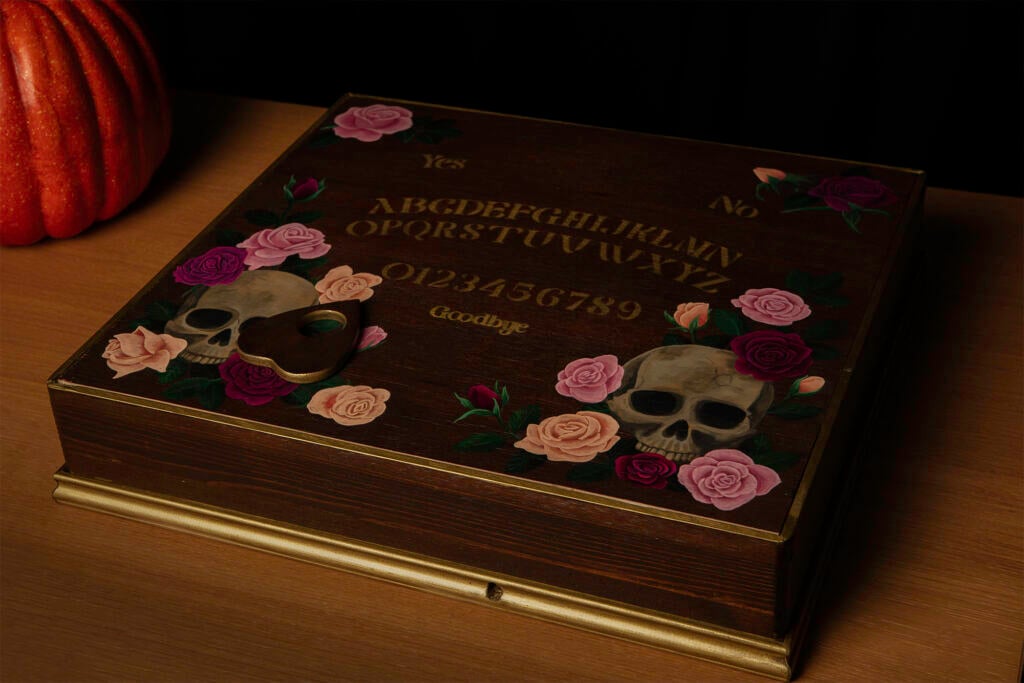
When a tabletop object moves without a visible hand, the effect is often the result of separating motion generation from audience view. This magnet-driven Ouija board project is a good example: text entered into a browser becomes coordinated motion under a decorated board, so the planchette appears to spell on its own. For an Electronicseng General article, the value lies in how mechanics, magnetic coupling, coordinate mapping, and network access fit together.
Why the Build Is a General Engineering Pattern
The project combines several ideas that appear across maker and electronics work: a compact XY motion platform, a user interface that turns words into movement data, a serial controller, and a visual enclosure designed to hide the operating system. None of those pieces needs to be unique to a seasonal display; the same structure can support other automated tabletop presentations.
From Idea to Mechanism
The inspiration came from videos of self-playing chessboards moved by magnets beneath the board. The builder wanted the same hidden-force approach for a Ouija board that could spell messages without hands. The first hardware stage was a lightweight core XY CNC machine. It was assembled within a couple of days using 3D-printed parts, fishing line, several motors, and an ESB32 that was already available.
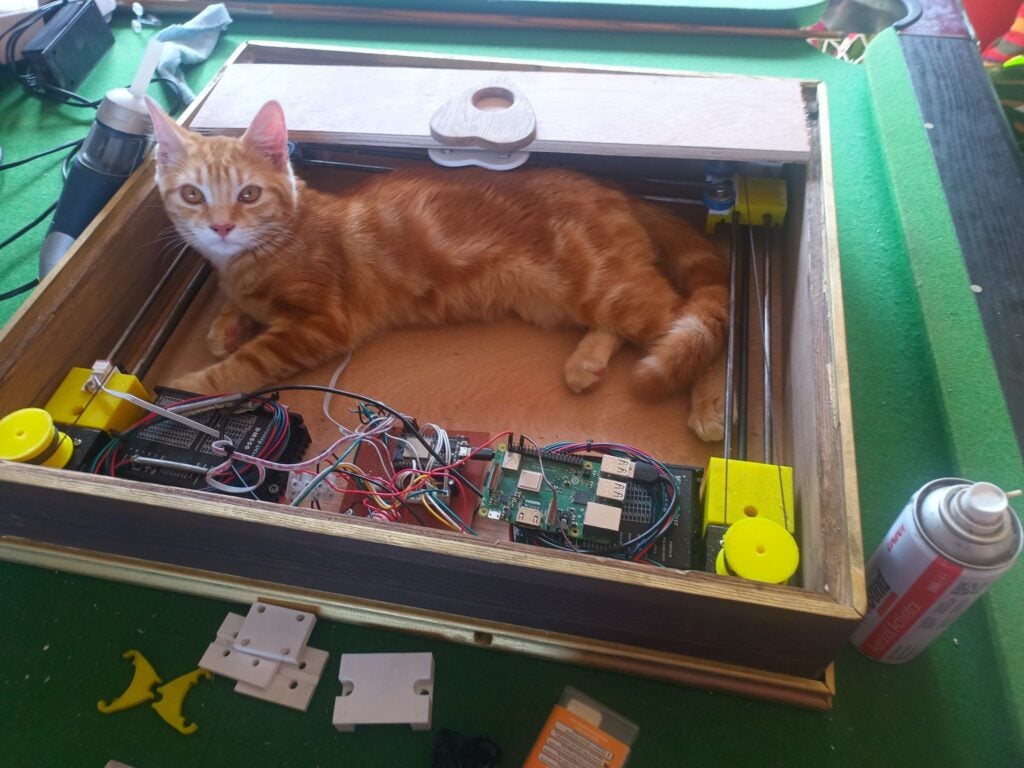
The initial platform was useful enough that the knowledge from it later supported a slightly beefier version for a CNC plasma cutter. That progression shows why small proof-of-motion builds can be valuable: the motion concept can be scaled or reused even when the finished product is themed for one event.
Enclosure, Surface Layout, and Reachability
The outer box was built from plywood and moulding, then decorated with wood stain and gold spray paint so its style would lean toward the golden age of Spiritualism. The visible letter area was stencilled only where the planchette could reach. The axes and electronics took up space inside the box underneath, so unavailable areas were filled with painted flower and skull motifs.
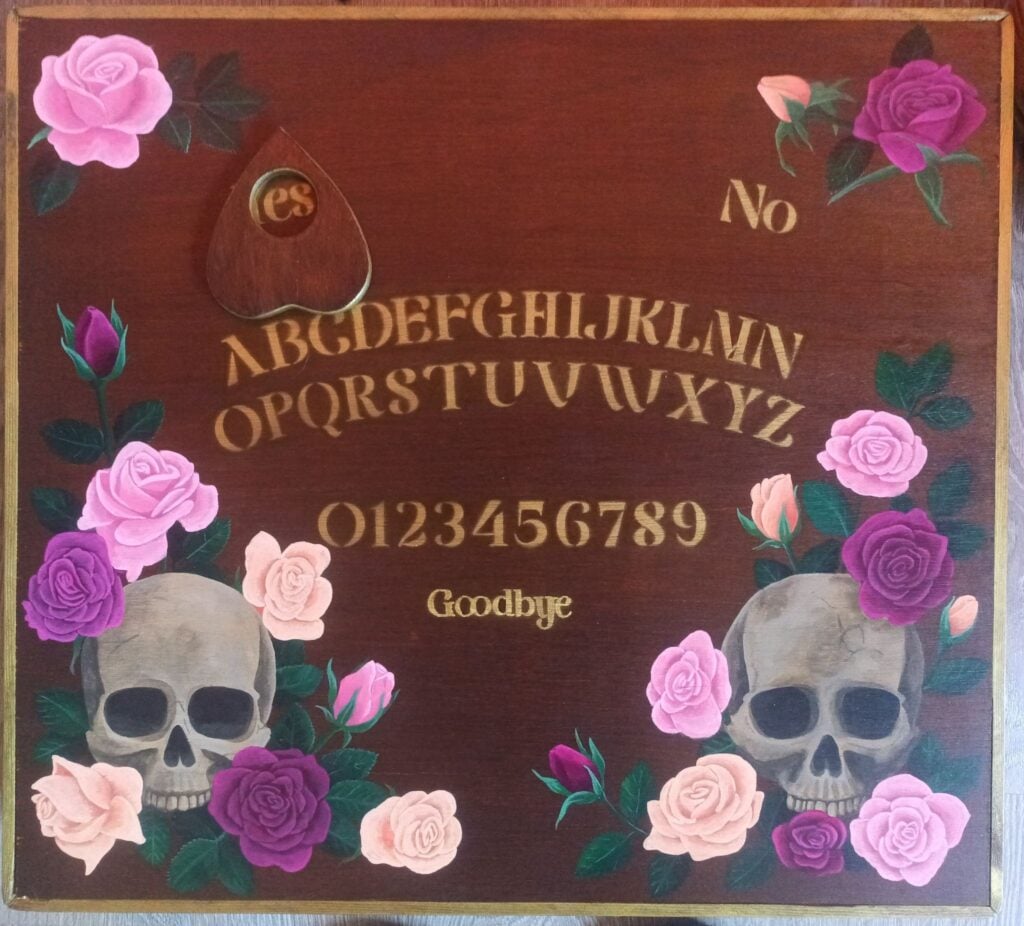
For an installation like this, layout and motion range are not cosmetic choices. The artwork must be planned after knowing the usable XY area. If the hidden frame cannot move across the whole surface, the design should reserve unreachable regions for decorative elements rather than functional letters or words.
Solving Friction with Magnets, Springs, and Bearings
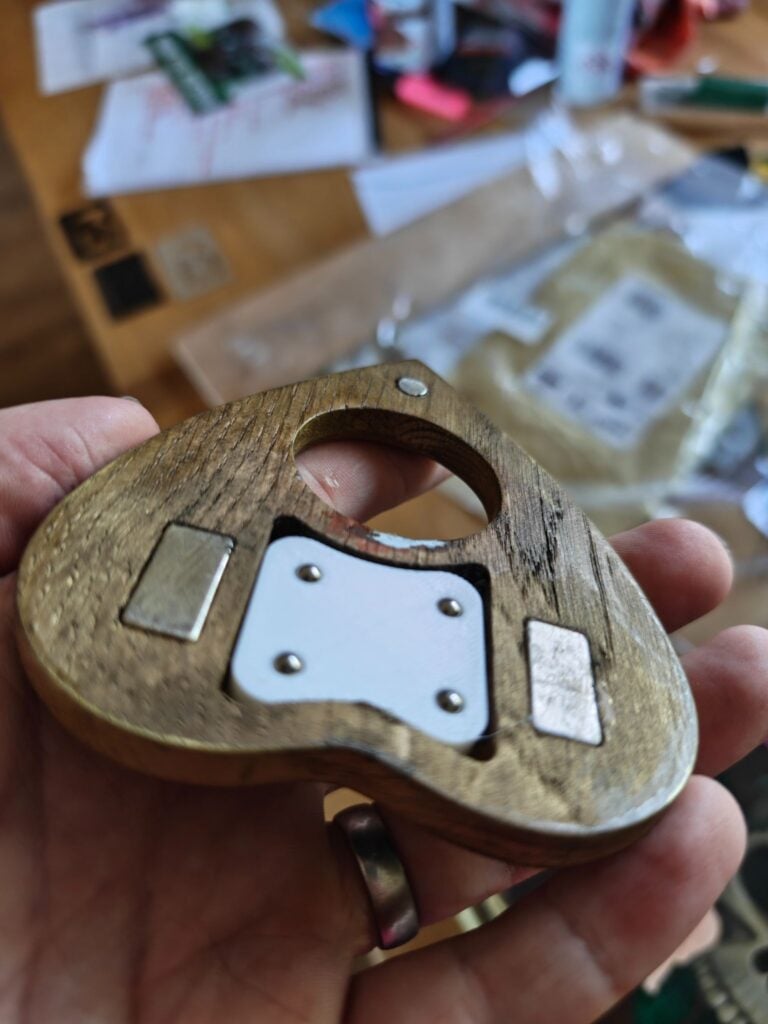
The mechanical challenge was getting reliable grip between the hidden driver and the visible planchette. The planchette was a fairly heavy wooden piece with a large surface area, which produced noticeable friction. The build addressed this by adding more magnets to both the planchette and the CNC head. It also used springs in the mechanism that held the magnets beneath the board, keeping those magnets pressed against the underside of the board with no gaps.
Even with stronger magnetic coupling, the moving part still needed a practical path over the board surface. The final answer was to embed free-spinning ball bearings in the bottom of the planchette, and that solved the problem. The lesson is that magnetic drive problems are often multi-factor: magnet strength, contact pressure, surface condition, and the moving object's geometry all matter together.
Software Architecture and Remote Access
The control side uses a small set of familiar components. A Raspberry Pi 3 Model B+ had served as a print server for many years and was freed up for this new role. The setup was done with Raspberry Pi Imager, with Raspberry Pi OS Trixie used as the operating system image. Raspberry Pi Connect was configured during setup.
That remote-access step was important because the plan was to move the Ouija board from network to network. Each move would change its IP address. Since the builder wanted to reach the web UI used to control it, the current address had to be discoverable. Raspberry Pi Connect allowed login to the Raspberry Pi whenever it was online, so the address could be found and the control page opened.
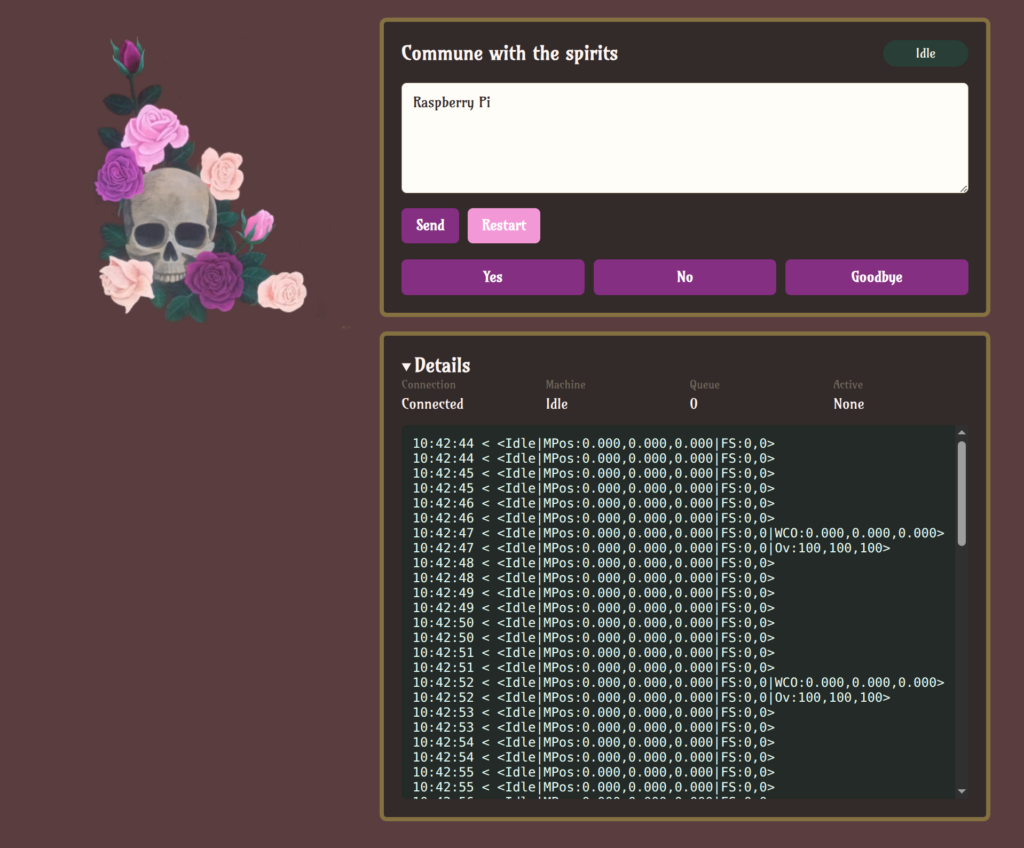
The application used a Python Flask project as its web interface. Words typed into a browser form are converted into G-code instructions that match the letter locations. That G-code is sent directly through the USB serial port to the ESB32, and the ESB32 drives the motors. The builder's husband handled that task and delegated it to ChatGPT Codex. After the software path existed, the most time-consuming part was mapping out the G-code coordinates of all the letters and words and adding them to a JSON file for the app to read. The web UI's CSS was then adjusted so it matched the design of the box.
Layer Summary
| Layer | Role in this build | Engineering note |
|---|---|---|
| Hidden motion | XY CNC-style platform moves the magnet carrier. | Reach and structural simplicity matter. |
| Coupling | Magnets, springs, and bearings transfer motion to the planchette. | Friction is the main failure mode. |
| Control data | G-code coordinates are assigned to letters and words. | A JSON map keeps positions editable. |
| User interface | Typed words become motion commands through a web page. | Styling helps present the box as one product. |
| Connectivity | Raspberry Pi Connect helps locate the device after IP changes. | Useful when a display moves between networks. |
Reusable Process Checklist
- Start with the desired audience-visible effect, then design the hidden mechanism around it.
- Confirm the XY platform's movement area before deciding where functional symbols will be placed.
- Treat the enclosure as both decoration and component housing, because internal axes and electronics limit usable surface.
- Test magnetic coupling early with the final planchette weight, surface material, and expected path.
- Separate control layers: text input, coordinate lookup, G-code generation, serial sending, motor driving.
- Keep coordinate data in a simple readable file, such as JSON, so positions can be edited without rewriting the app logic.
- Plan for remote access if the installation will be moved to different networks.
- Review the visual interface at the end so the software style matches the physical build.
Common Misconceptions
A magnet will always move the visible part
The magnetic field alone is not enough. If the planchette is heavy, wide, or creates significant friction, the drive may stall. In this Ouija board project, additional magnets, springs that maintain contact, and ball bearings all became necessary.
The artwork can be finished after all functional parts are placed
The layout of the working area and the hidden components are intertwined. The stencilled letters were limited to the reachable zone, while decorative motifs covered the rest. The design is therefore both a graphic task and a motion-envelope task.
The software only accepts text
Text entry is only the first step. The web UI, Python Flask application, coordinate mapping, JSON data, G-code conversion, USB serial communication, and ESB32 control all determine how accurately the planchette lands on letters.
FAQ
What is the core idea?
A hidden magnet-driven motion system guides a planchette so it appears to respond without human contact. The visible board is essentially an interface to an XY motion platform.
Which controller moves the motors?
The ESB32 receives G-code through USB serial and drives the motors.
Why does the device need Raspberry Pi Connect?
Because the board was intended to move across networks, its IP address would change. Raspberry Pi Connect made it possible to log in to the Raspberry Pi whenever it was online and locate its current address.
Can the board respond automatically?
Not in the current description. A human listens to questions and types answers into the web UI. The next improvement could add a microphone and an AI model that parses the question and creates a short response based on ghost character information.
Next Directions for a Richer Presentation
The final step in a project like this is often to make the experience feel more cohesive. The described future ideas include a crystal ball that creates a Pepper's ghost illusion for a more ambitious pseudo-séance, or smart home automation that makes the lights flicker. Those extensions remain consistent with the core build because they enhance presentation without changing the hidden XY motion concept.
For readers, the transferable takeaway is simple: define the visible behaviour, solve the mechanical interface, make the data path explicit, and plan for the way the finished installation will actually be connected and moved. A hand-free display is rarely one clever trick; it is several ordinary engineering decisions arranged so they disappear from view.