
Electronicseng General Comparison: Coax Band-Plan Trade-offs — MoCA 2.5 vs DOCSIS 3.1 and Satellite L-Band
Direct answer: A coax backbone can carry cable broadband plus a MoCA LAN, or satellite TV plus MoCA, but not all three on one cable — just not all three at the same time. The limit is spectrum allocation, not rated throughput. Before touching a configuration page, watch the modem's downstream profile while a MoCA link trains; that bench habit exposes the collision faster than any throughput test.
Why this comparison sits between two teardowns
On Monday, EDN published part 1 of a DOCSIS 3.1 cable modem teardown; part 2, covering a different hardware revision of the same NETGEAR Nighthawk CM1000, arrives next month. A MoCA 2.5 adapter teardown is queued two Mondays from now, and an end-of-month piece will give hardware configuration switches their own attention.
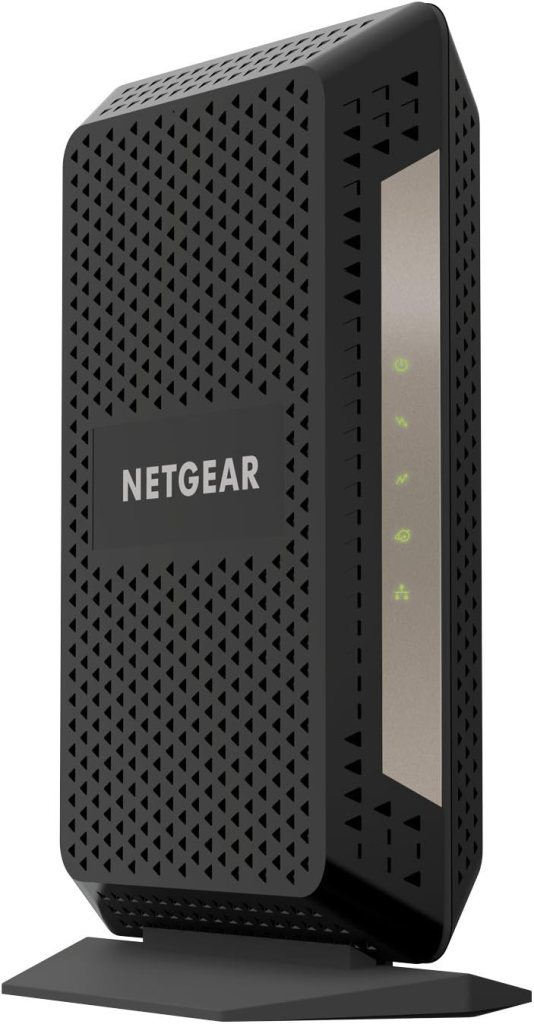
The adapter side of that queue is the other half of this comparison:
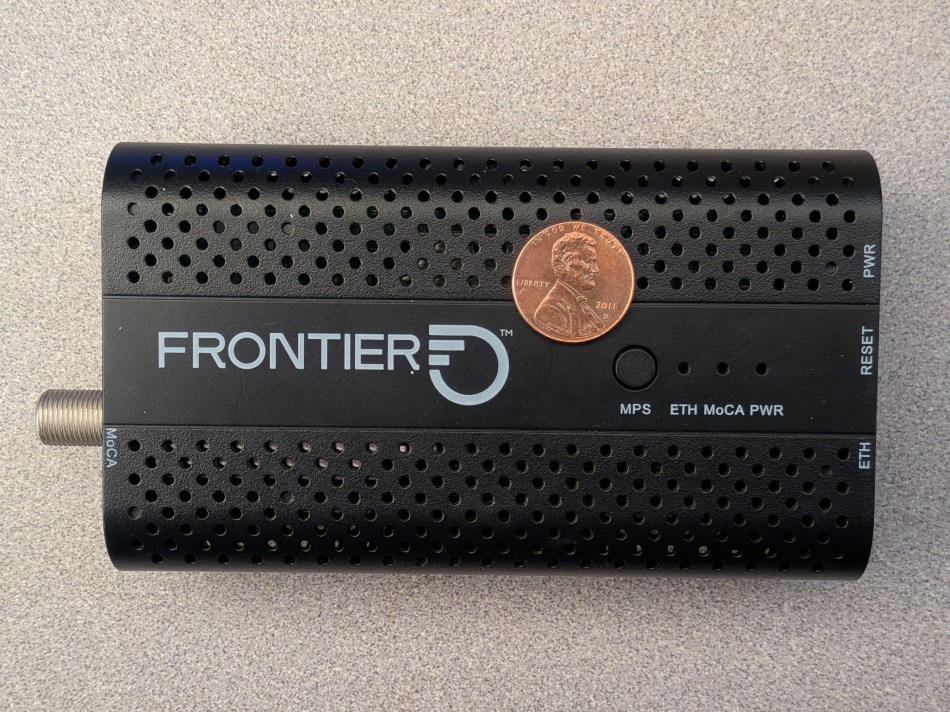
The earlier Debugging Comcast write-up was a four-part series that pushed past the 2,000-word mark. Here the narrative is trimmed to the parts that transfer to other plants and other adapters.
Where satellite TV enters the argument
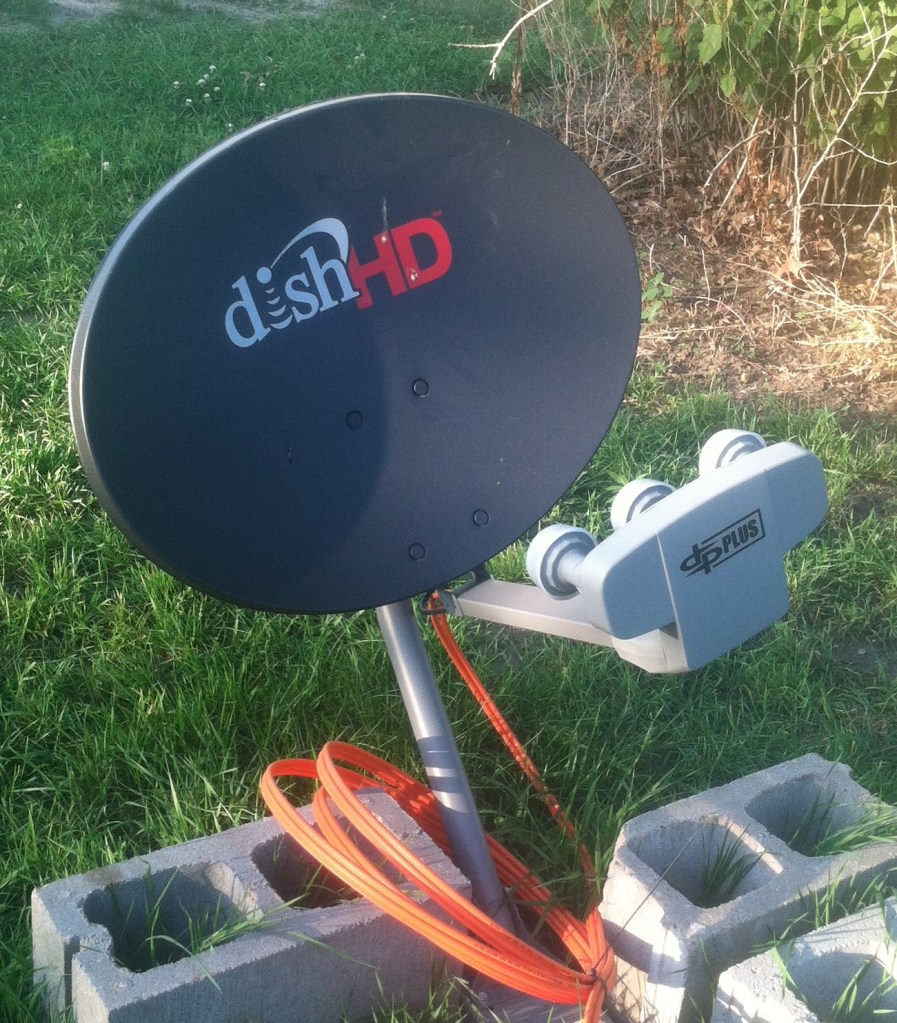
Satellite TV is the third claimant on the coax. Its collision mechanism resembles the cable broadband case, but the frequency numbers differ enough that a fix borrowed from DOCSIS will not carry over. The service mix that fails outright is the one with all three present.
MoCA generations: what the channel math buys
Multimedia over Coax Alliance (MoCA) is usually introduced as a video transport, but for a comparison the useful metric is simpler: channel width times bonded channels sets the ceiling. Read these as datasheet limits under a clean plant, not as link-rate promises.
| Generation | Per-channel width | Bonding ceiling | Peak |
|---|---|---|---|
| MoCA 1.x | 50 MHz per-channel width | One channel max | 175 Mbps max, carried over 100 Mbps Ethernet |
| MoCA 2.0 and 2.1 | 100 MHz per-channel width | Two channels max | 1 Gbps max |
| MoCA 2.5 | 100 MHz per-channel width | Five channels max | 2.5 Gbps max |
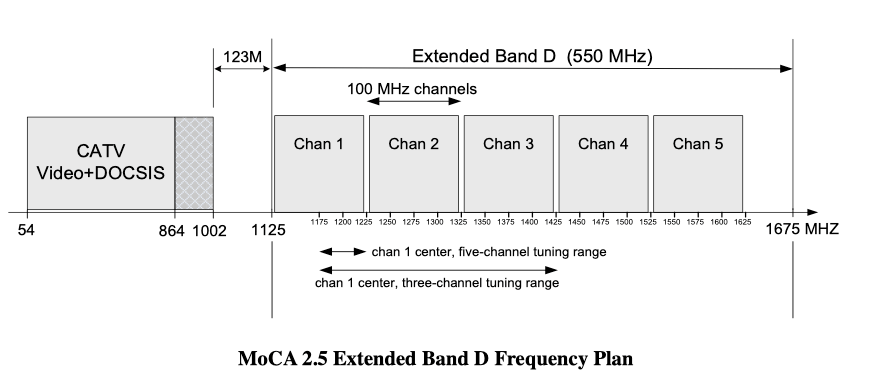
MoCA 2.5 reaches its ceiling by bonding three 100 MHz channels beyond the older two-channel plan.
The band diagram below first appeared on the GoCoax home page and was reused in part 4 of the earlier series: five 100 MHz channels spanning 1,125 to 1,675 MHz.
Band D versus DOCSIS 3.1: the actual overlap
DOCSIS 3.0 stays clear of the MoCA block, leaving a 123 MHz guard band. DOCSIS 3.1 does not: its downstream runs to 1,218 MHz and can extend higher in some provider plans, covering MoCA's lowest channel. A public SCTE deployment paper describes the DOCSIS 3.1 downstream as a 258 MHz to 1,218 MHz plan; an IEEE-hosted overview gives the same range. That is the number to compare against a MoCA adapter's channel table.
The same rule governs the SDR work described in our note on SDR masks and coexistence curves in shared-band deployment: occupied spectrum decides compatibility, not the larger bandwidth figure on a box.
D-Band High, Low, or Extended: a three-way choice
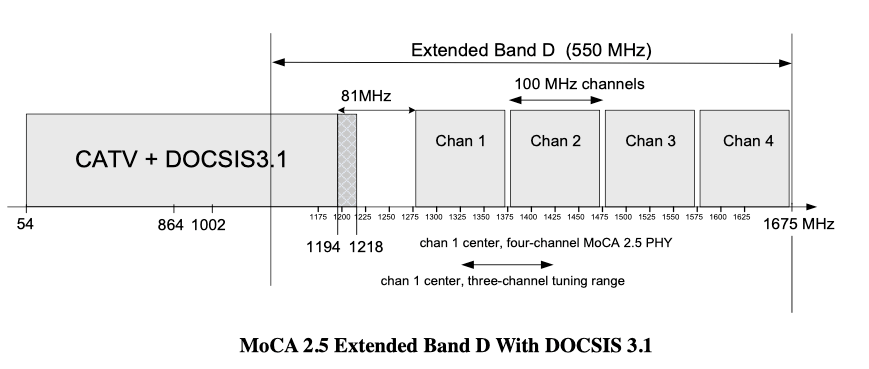
The remedy is to stop MoCA transmitting where the modem listens. You trade MoCA peak rate for full DOCSIS 3.1 operation. Three modes are on offer:
- D-Band High — 1350–1675 MHz, a 325 MHz wide three-channel connection. Moves above the amateur 23-centimeter band and most DOCSIS 3.1 plans.
- D-Band Low — 1125–1225 MHz, a 100 MHz wide single-channel connection; half-Gbit ceiling and the mode most likely to meet DOCSIS 3.1.
- D-Band Extended (default) — 1125–1675 MHz, Five channels; cleanest only where the operator stays below 1,002 MHz.
Between Low and High lies 125 MHz (1,225–1,350 MHz) that MoCA leaves unused. It is not empty spectrum: the 23-centimeter band is allocated to Ham operation from 1240 to 1300 MHz under the ARRL band plan, and the 1,260-1,270 MHz slice is the practical interference source to plan around.
Adapters found so far offer Low, High or Extended — not Low and High together — and some expose a Lowest Operating Frequency (LOF) control. The pairing rule is worth quoting exactly: for any two adapters to be able to “see” and communicate with each other, they need to be configured identically from both Band mode and LOF setting standpoints, in addition to leveraging a common encryption password if enabled.
D-Band Low keeps a narrower role: an operator-side MoCA WAN channel for monitoring between the provider and a MoCA-aware gateway, invisible to the subscriber, plus the two-network case below.
Filters: entry point and modem jack
A point-of-entry (PoE) filter stops your LAN traffic, encrypted or not, from reaching neighbours over the shared provider topology and stops theirs from reaching you. Depending on whether the LAN runs D-Band Extended, D-Band High or E-Band, a second filter belongs immediately ahead of the cable modem's coax connector.
The reason is compatibility engineering: a modem must work across many providers. That Comcast currently assigns nothing above 1,002 MHz in my area does not make the tuner deaf to MoCA energy there. The modem-side filter removes it before it desensitises the front end.
Plant hardware has its own limits. Hitron's guidance states, "Many splitters designed specifically for MoCA are rated approximately 5–1675 MHz"; common PoE filters pass 5–1002 MHz and reject 1125–1675 MHz. Check both before blaming the adapters.
Satellite L-band and Band E
Satellite receivers get an intermediate frequency in 0.95-2.15 GHz from the outdoor antenna and LNB, a span shared with weather satellites, GPS/GNSS and mobile satellite services. A universal Ku-band LNB switches 9.75 and 10.6 GHz local oscillators, placing the IF near 950–2,150 MHz in the NJR2841L datasheet.
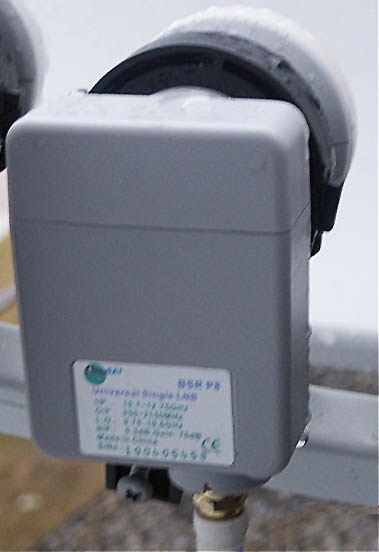
Any D-Band plan on those spans interferes with both services. Band E moves MoCA below 1 GHz altogether — typically 400 MHz to 700 MHz — with at least one adapter reaching 900 MHz in Extended mode while retaining five-channel 2.5 GbE and dual Ethernet ports.
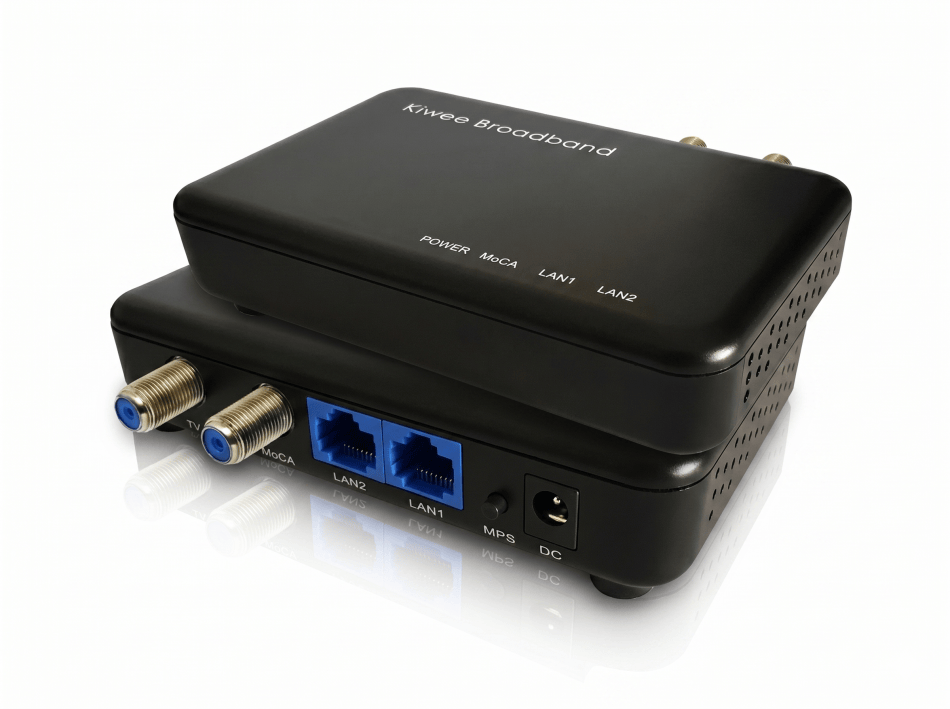
The Kiwee Broadband adapter shown is E-Band only; other products in the same line use Band D, and some adapters accept both by user configuration. E-Band is the decision when satellite and LAN must share one cable.
Two LANs, one coax tree
The identical-configuration rule leads somewhere useful. Separate MoCA networks can coexist if they occupy different slices. Configure every adapter in MoCA network #1 the same way and differently from every adapter in MoCA network #2. With MoCA as the only service on the cable, there are three possible distinct networks: D-Band Low, D-Band High and Band E.
The combination that fails
Satellite providers usually partner with DSL, fibre or cellular broadband rather than selling internet themselves; GEO latency is the historic reason and LEO options are still maturing. Those pairings coexist with MoCA without a frequency fight. Add cable broadband to a satellite-fed coax tree and no slice is left for MoCA unless the residence has physically separate coax topologies. A TV bundle from the cable provider is the commercial answer; spectrum is the physical one.
Common mistakes to rule out
- Treating a 1 Gbps or 2.5 Gbps adapter rating as a guaranteed link rate through arbitrary splitters.
- Leaving legacy 5–1000 MHz splitters in a path that must carry 1125–1675 MHz.
- Mixing Band modes or LOF values between two adapters that should pair.
- Skipping the PoE filter because LAN traffic is encrypted.
- Running D-Band Extended while the modem's downstream reaches 1,218 MHz.
FAQ
Can MoCA 2.5 share coax with DOCSIS 3.1?
Yes, with D-Band High or an Extended plan that drops the overlapped channel; otherwise the downstream at 1,218 MHz hits MoCA's lowest channel.
Is Band E usable with cable broadband?
Band E is chosen for satellite L-band coexistence. With cable broadband, D-Band High is the usual pick.
Does every adapter need a filter?
No. One PoE filter at entry, plus one at the modem jack only when the modem shares the MoCA span.
Can I keep two independent MoCA LANs?
Yes: MoCA network #1 and MoCA network #2, provided their band plans differ.
Design checklist before you commit
- Map the plant: modem downstream ceiling, satellite IF range, splitter ratings.
- Choose the band plan first — High for DOCSIS 3.1, E-Band for satellite, Extended only on a clean plant.
- Match Band mode, LOF and encryption password across every pair.
- Install the PoE filter; add a modem-side filter if spans are shared.
- Re-check after provider changes; a plan valid "next month" may not survive a plant upgrade.
About the author
Maya Brooks is an embedded systems engineer at Electronics & Engineering, writing for Electronicseng on register-level debugging and measured behaviour. Questions: info@electronicseng.com.
Community sources and reference links
Community threads that sharpened this comparison came from the HomeNetworking subreddit, with credit to plooger, and SNBForums, where the same contributor posts as krkaufman; TIVOcommunity.com supplied further field reports.
- SCTE DOCSIS 3.1 deployment paper — downstream plan around 258–1218 MHz.
- IEEE-hosted DOCSIS 3.1 overview — 258 MHz to 1218 MHz downstream.
- ARRL band plan — 23 cm allocation, 1240–1300 MHz.
- Hitron, MoCA splitters — 5–1675 MHz rating guidance.
- Nisshinbo NJR2841L datasheet — 9.75/10.6 GHz LO, L-band IF.
- GoCoax MA2500D — MoCA 2.5 band usage.